
How to Stack Coupons at CVS Like a Pro
The Secret to Saving Big at CVS
To score the best CVS deals, plan to stack every savings option you can — manufacturer coupons, CVS store coupons, ExtraBucks promos, and rebate apps. When you combine them strategically, you can walk out with a bag full of deals for pennies (or even free).
Types of Coupons and Discounts at CVS
1. Manufacturer Coupons
These are the coupons you see in Sunday newspaper inserts or printable versions from home. Common insert sources include SmartSource (SS), Save, and Unilever Super Saver. You can also print manufacturer coupons online from trusted coupon databases.
2. CVS Store Coupons
You can find these in several places:
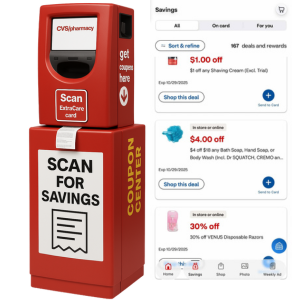
- The “magic coupon kiosk” at your local CVS
- The CVS app
- The CVS.com website
These store coupons include dollar-off, spend-threshold, and percent-off offers that can often be combined with manufacturer coupons.
CVS COUPONING GUIDE
If you’re serious about saving big on your next CVS haul, mastering how to stack coupons at CVS is an absolute game-changer. It’s one of the most important skills to learn when you’re diving into CVS couponing. Before you start stacking, it’s essential to understand the different types of coupons CVS accepts and how the CVS coupon policy works.
To make couponing even easier, download the CVS app where you can quickly clip digital coupons and keep them all in one place. Once you’ve got the app ready, you’ll be stacking like a pro in no time.
Want to catch the best weekly deals at CVS? Check out our CVS weekly deals page at Crazy For Couponing—our team previews the upcoming CVS Weekly Ad and identifies top savings on everything from beauty and household essentials.
CVS Couponing 101
Welcome to CVS Couponing 101 — your beginner-friendly guide to saving BIG at one of the best stores for couponers! If you’ve ever wondered how shoppers walk out of CVS with bags full of products and tiny totals, you’re about to learn the secrets. From understanding ExtraBucks and digital coupons to combining weekly deals, CRTs, and store promos, this guide breaks everything down step-by-step. Grab your CVS app, your rewards card, and let’s turn everyday trips into major savings — one deal at a time!
What You’ll Learn in This CVS Couponing 101 Guide
- Sign up for and use your CVS ExtraCare account
- Earn and maximize ExtraBucks Rewards
- Understand CRTs (CVS store coupons) and how they work
- Stack manufacturer coupons + CRTs + ExtraBucks for maximum savings
- Use the CVS app to clip digital coupons and price check
- Score freebies, moneymakers, and weekly household essentials
- Navigate buy deals vs. spend deals (and why it matters!)
- Roll ExtraBucks into the next deal to keep your out-of-pocket LOW
Step 1: Sign Up for a CVS ExtraCare Account
Before you start saving at CVS, you’ll need a CVS ExtraCare account — it unlocks ExtraBucks, digital coupons, member pricing, and exclusive rewards. Without it, you’ll miss the best deals. Sign up in-store at checkout (ask for an ExtraCare card and register it to your phone number) or do it online in minutes. Visit CVS.com or download the CVS app to create your account, clip digital coupons, track rewards, and access your barcode from your phone.

Earn and Maximize ExtraCare Bucks
How to Earn ExtraCare Bucks
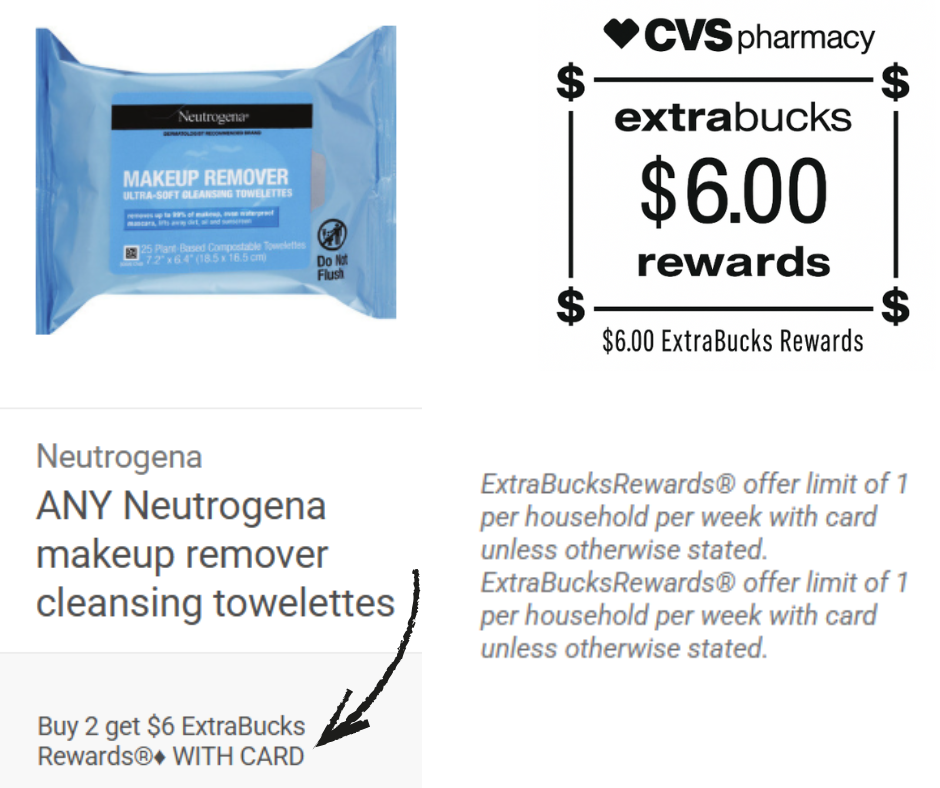
ExtraCare Bucks (ECBs) are CVS’s store rewards currency — the foundation of saving BIG at CVS. Earn them by purchasing qualifying weekly deals, completing “buy” or “spend” promos, and shopping special events. Watch for tags/ad callouts like “Buy 2, Get $5 ExtraBucks” or “Spend $30, Get $10 ExtraBucks.” After you meet the requirement, ECBs issue to your account and can be used like store cash on your next purchase. Pro tip: roll your ECBs (use rewards from one deal to pay for the next) to keep out-of-pocket costs low week after week.
Limits of ECBs
Each ECB offer has a set limit — most are limit 1 per ExtraCare account, unless otherwise noted. If an ad shows “Limit 2”, you can complete the offer twice and earn the reward twice. Always check the deal limit printed in the weekly ad or on the shelf tag so you don’t expect more rewards than allowed.
How to Receive Your ExtraCare Bucks
ECBs are issued two ways: they may print at checkout on your receipt or be sent digitally to your card in the CVS app. Clip and use them straight from the app or hand the printed ECBs to your cashier on your next trip. Always verify the expiration date (typically around 30 days) so you don’t miss out — once they expire, reissues aren’t guaranteed and vary by store.
How to Get Coupons for CVS
Getting coupons for CVS is easy, and there are so many ways to stack your savings! Start with the
CVS App and the CVS Savings Center (Red Box kiosk), where you can clip digital coupons
and print store coupons instantly. You can also score great offers in the Sunday newspaper, and print
coupons using the tool on the left. Plus, many companies will mail you high-value coupons just for asking!
Click here to request free coupons by mail:
45 Companies That Send Free Coupons by Mail
Understanding Coupons at CVS
CRT Coupons
Understanding Coupons at CVS
CRT Coupons (Cash Register Tape)
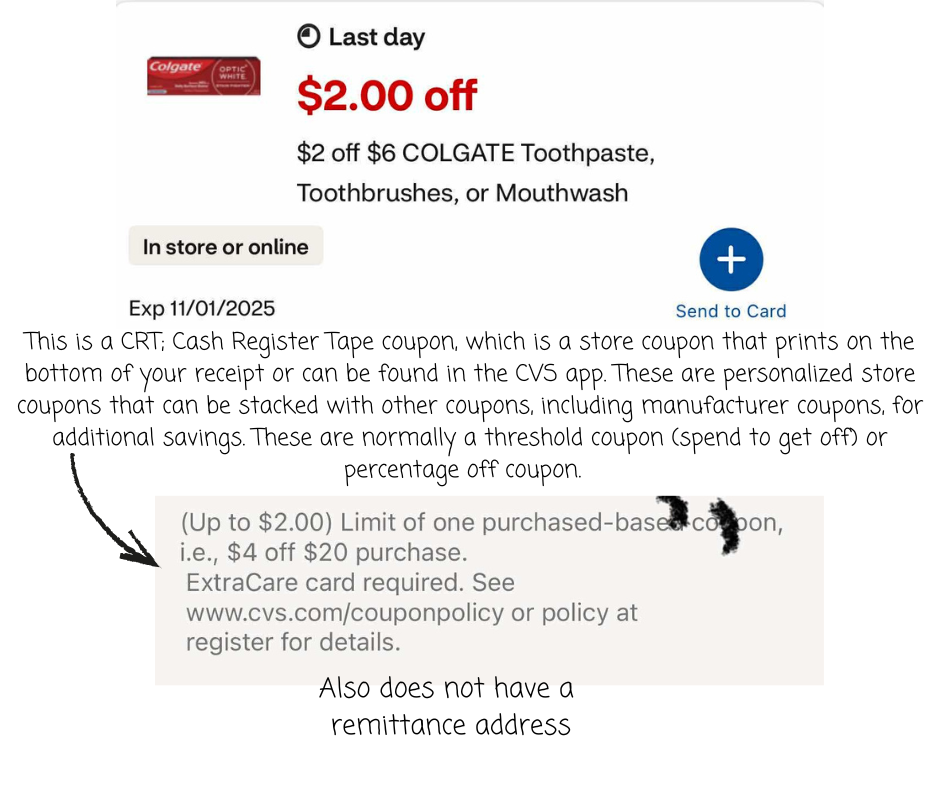
CRT stands for Cash Register Tape coupon, which is a CVS store coupon that prints at the bottom of your receipt or can be found in the CVS app under “Deals & Rewards.” These personalized coupons are based on your shopping habits and can be stacked with manufacturer coupons for even more savings. CRTs often come in two forms: threshold coupons (e.g., Save $5 off $20 purchase) and percentage-off coupons (e.g., 30% off one item). Using CRTs correctly is one of the biggest keys to lowering your out-of-pocket cost and maximizing your weekly deals at CVS.
Manufacturer Coupons
Understanding Coupons at CVS
Manufacturer Coupons
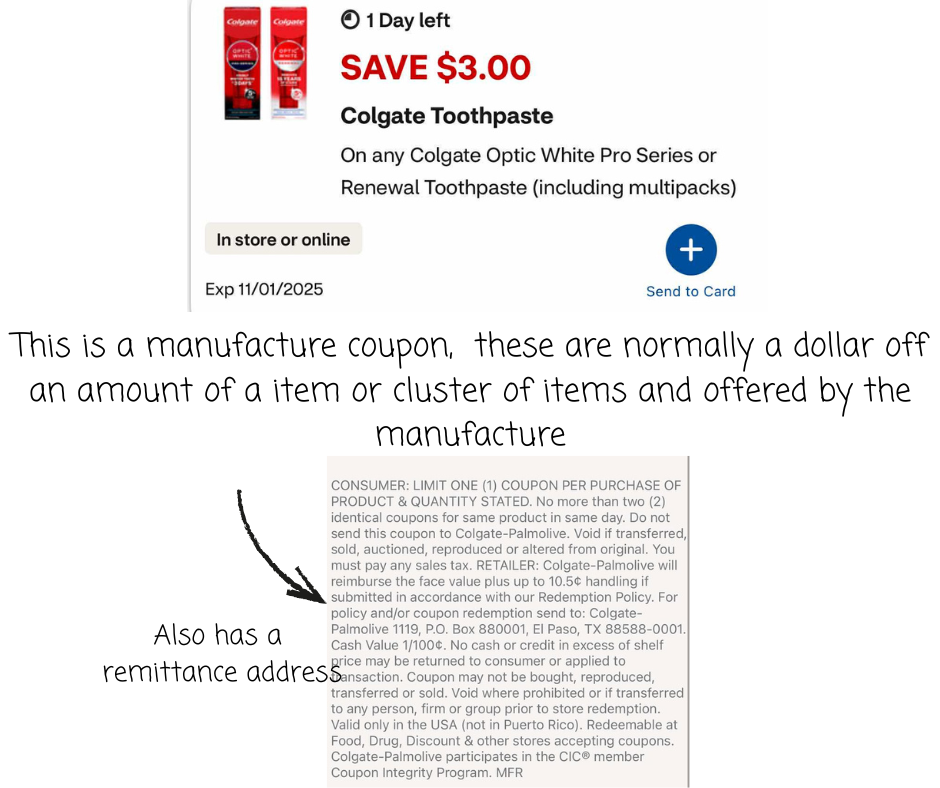
Manufacturer coupons are issued by the brand, not CVS, and they can be used at CVS to reduce the cost of specific products. These coupons can be found in the CVS app, and at the CVS red coupon center (Savings Center). You can combine (stack) one manufacturer coupon with a CVS CRT or store coupon to maximize your savings — just remember, CVS follows the one manufacturer coupon per product rule. By pairing manufacturer coupons with weekly sales and ExtraCare deals, you can turn everyday essentials into major savings opportunities.